

Download
Purchase
Quick Links
Features
Screenshots
Technical Support
Knowledge Base
Case Studies
Articles
Reviews
Consulting
Supported Tools
.Net Edition:
100% Pure C#; No Additional Dependencies
The .Net version supports:
Visual Studio 2012
Visual Studio 2010
Visual Studio 2008
Visual Studio 2005
Visual Studio 2003
Visual Studio 2002
Also supports the Express editions of the above IDEs.
Windows Forms (WinForms) and WPF Applications developed using:
C#, VB.Net, Managed C++, J#
and many others .Net languages.
ActiveX Edition:
Pure C++; No Additional Dependencies
The ActiveX version supports :
MFC/ATL/C++ apps in
Visual Studio 2012
Visual Studio 2010
Visual Studio 2008
Visual Studio 2005
Visual Studio 2003
Visual Studio 2002
Visual C++ 6.0
Visual Basic 6.0 (VB6)
VBA in:
Microsoft Office 97,2000,XP,2003,2007,2010
Access/Word/Excel
AutoCAD VBA
HTML/ASP
Internet Explorer
Visual Interdev
Borland Delphi
Borland C++ Builder
dBase
RealBasic
and more!!
Supported OS
Supports 32-bit (x86) and 64-bit (x64) versions of:Windows 8
Windows 7
Windows XP
Windows Vista
Windows 2003
Windows 2000
Windows Me
Windows 98
Windows NT
Other Products
Develop namespace extensions in .Net fast and painlessly!
Develop namespace extensions using MFC, ATL or plain C++ fast and painlessly! Develop IE toolbars, explorer bars, desk bands and all shell extensions in .Net fast and painlessly!
Develop IE toolbars, explorer bars, desk bands and all shell extensions in MFC, ATL or plain C++ fast and painlessly!
Crypto Obfuscator
.Net Edition
Powerful code protection, obfuscation, optimization and simplified deployment
for your .Net apps.
CryptoLicensing
Add licensing, copy-protection and activation capabilities to your apps, libraries and websites using latest military strength cryptographic technology.
Visual Build Automation, Testing, Deployment And Release Management Software.
Crypto Logger
.Net Edition
Flexible high-performance logging library + powerful easy-to-use console
to view, search, manage and analyze log data.
File And Folder Explorer Addin For Visual Studio : Windows Explorer-Like File And Folder Browsing Inside Of Visual Studio.
ShellAppBar - Convert Your Forms Into Appbars With Full Autohide, Drag-Docking and Multi-Monitor Support
Introduction
The ShellAppBar component from ShellObjects makes it very easy to develop Quick Launch like appbars (application desktop toolbars) with complete autohide functionality, support for drag-docking and multi-monitor configurations. This article discusses how easy and fast it is to quickly convert your forms or dialog boxes into application desktop toolbars with the ShellAppBar component from ShellObjects.
What are appbars (application desktop toolbars)?
An appbar (application desktop toolbar) is a window similar to the Quick Launch bar, the Language Bar or the Windows Taskbar. It is anchored/docked to an edge of the screen, and it typically provides the user with quick access to various things like program shortcuts, favorite files, folders or URLs, information such as the local weather or sports news, or commonly used programs such as a clock, stopwatch or a calculator. Appbars are allocated their own area on the screen and the system prevents other applications from using that area. Multiple appbars can exist on the system at any time.
Developing appbars with the ShellAppBar component from ShellObjects
The ShellAppbar component from ShellObjects makes it extremely easy to develop appbars. Simply put the ShellAppBar component on the form or dialog box and it is automatically converted into an appbar when it is loaded. ShellAppBar provides convenient properties for specifying the screen edge to which the appbar should be docked/anchored and to specify whether the appbar should be autohidden or visible all the time. Other properties allow you to specify whether resizing of appbars should be allowed, whether drag-docking (dragging an appbar to different edges of the screen to dock it to that edge) should be allowed and whether the appbar should always be on top of all other windows.
|
|
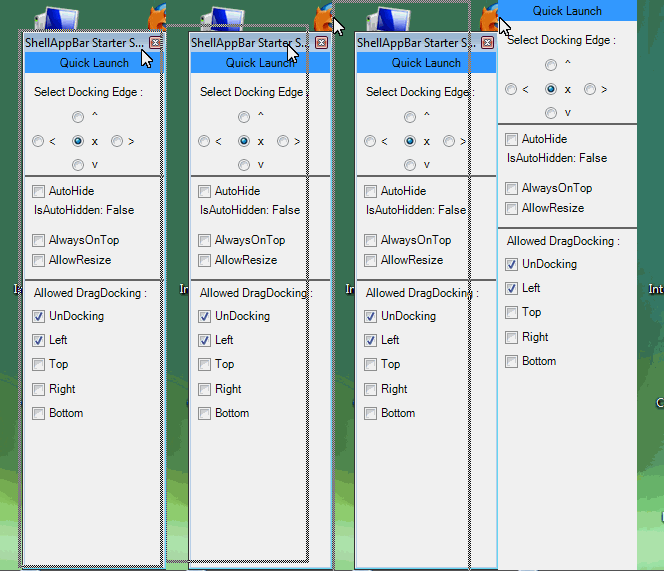
Drag-Docking Functionality In ShellAppBar |
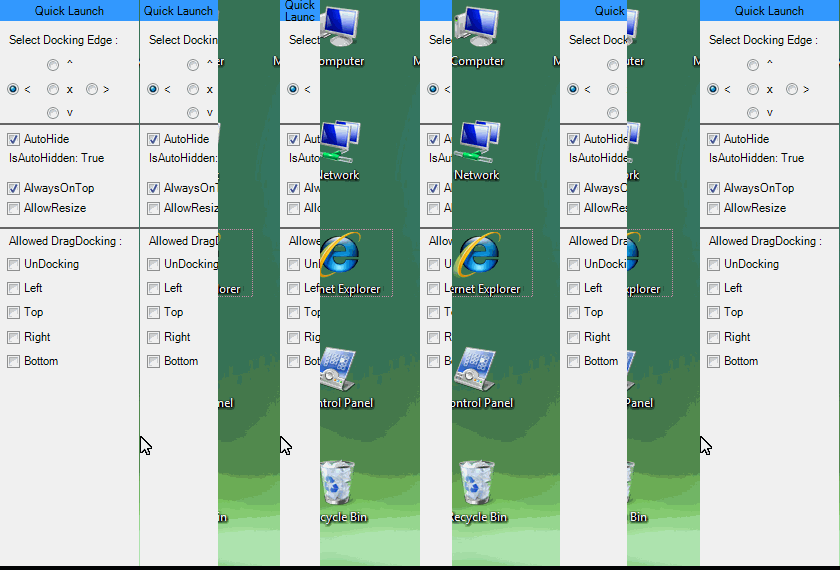 Autohidden ShellAppBar |
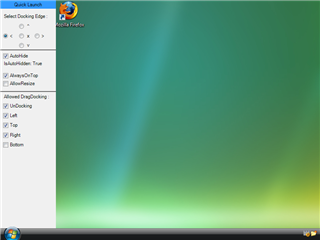
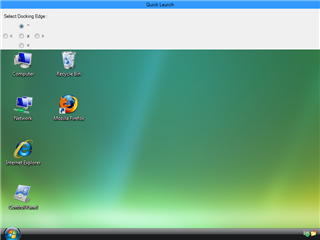
Advanced Features
Specifying the docking edge
The DockingEdge property of ShellAppbar specifies the screen edge to which the form or dialog box should be docked. By simply changing the value of the DockingEdge property, the form or dialog box can be docked to a different screen edge. To undock the appbar, simply set the DockingEdge property to None.
AutoHide functionality
Appbars developed with ShellAppBar support full autohide functionality. An autohidden appbar is normally hidden but becomes visible when the user moves the mouse cursor to the edge of the screen to which the appbar is docked. The appbar hides itself again when the user moves the mouse cursor out of the its bounding rectangle. The system allows a number of different appbars at any given time but it allows only one autohide appbar at a time for each screen edge. The first appbar which requests to be autohidden is granted that permission. Attempting to make another appbar autohidden to the same screen edge fails.
The AutoHide property of ShellAppBar specifies whether the appbar should be autohidden or not. As discussed above, setting this property to True does not guarantee that the appbar will be autohidden. The IsAutoHidden property can be used to determine whether the appbar is really autohidden or not. The AutoHiddenAppBarState property can be used to determine whether an autohidden appbar is currently hidden or fully visible.
Drag-Docking
Appbars developed with ShellAppBar can be dragged to a screen edge to dock to that screen edge. In this way, the user can be given full control over which screen edge the appbar docks itself to. The AllowedDragDockingEdges property enables or disables this functionality. Setting to property to None disables this functionality. This property can also be set to a combination of screen edges to allow drag-docking only to those edges of the screen.
Multi-Monitor support
Appbars developed with ShellAppBar have full support for multi-monitor system configurations. The appbars can be docked to any edge of any monitor. Drag-docking across multiple monitors is also fully supported.
Conclusion
The ShellAppBar component from ShellObjects makes it very easy to develop Quick Launch like appbars (application desktop toolbars). With ShellAppbar you can automatically convert your forms and dialog boxes into appbars with minimal effort and with full support for advanced features such as autohide functionality, support for drag-docking, automatic resizing and support for multi-monitor configurations.
Download- .Net
- WinForms | .Net
- WPF | ActiveX
Buy-
.Net - WinForms |
.Net - WPF | ActiveX
Have a question? Email us.
Quick
Links
Crypto Obfuscator For .Net: -- More
Info -- Download -- Buy
CryptoLicensing: -- .Net
Edition --- MFC
Edition --- ActiveX
Edition
Hyper Build: -- More
Info -- Download -- Buy
Crypto Logger For .Net: -- More
Info -- Download -- Buy
EZNamespaceExtensions: -- .Net
Edition -- MFC Edition
EZShellExtensions: -- .Net
Edition -- MFC Edition
VS Explorer for Visual Studio: -- Info
-- Download
Support: -- Technical
Support -- Articles
-- Case Studies
Company: -- About
-- Contact
Copyright © 2007-2020 LogicNP Software.